Look what my school GAFE account is telling me:
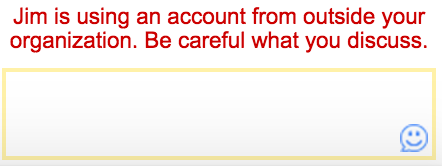
And letting my kids play in the backyard unsupervised is probably not a good idea either. Actually, this might be more helpful if it advised people to be careful about what they discuss internally.
thinking out loud about technology, education and life
Look what my school GAFE account is telling me:
And letting my kids play in the backyard unsupervised is probably not a good idea either. Actually, this might be more helpful if it advised people to be careful about what they discuss internally.

Having used Google Apps for Education since 2007, I’ve been through a lot with the platform. Whereas I used to look forward to the newest updates and the improvements to usability and stability they brought, I find myself dreading them lately. Mostly because the updates these days seem more about drastic UI changes than improved features or stability. The major appeal of GAFE, even beyond free, was simplicity and ease of use. Instead of the fancy New Drive or beta features bolted on top like Google Classroom, what we really need is:
(or why Enterprise IT departments may not like Google Apps as much as you do)
1. Chromebook logins that only need the username, no GAFE domain required. For younger students, it’s just too much. I’d be ok if it only worked when we restrict login on the device to one Domain.
2. Fully sortable fields in the Admin interface. Pretty Please.
3. An Outlook Connector for Windows that doesn’t cripple Outlook.
4. A way to set the default behavior of clicking on an attachment in Gmail to download instead of open in Chrome. Windows users expect it to download to a folder. I realize Google doesn’t have Windows users anymore, so maybe they don’t realize how painful some of their recent UI updates have made it, but really, it’s way more complicated than it used to be. My power users still very much use MS Office every day and their email client should respect that.
5. The ability to lock a User’s name in the Domain Directory. Users being able to change their names in G+ is cool, but having it reflect back to the Domain Directory listing is lame. And not being able to change it back as an Admin is lamer still.
6. Better Groups. Just better groups. Thanks
6a. Sub Org and Group syncing would make sense, don’t you think? Like a group for every sub org with users.
6b. What’s up with that special *all.users user in groups. It shows up funky in calendar invites and having a button to add it to any group, not awesome, speaking as someone who had someone accidentally add All Users to a group that shouldn’t have had it.
7. Gmail Contacts that actually work. As in gmail contact groups that sync to mobile.
8. Some UI consistency across Apps. Heck, just replying to an email could happen a half dozen different ways depending on where a user is when they try to reply. It’s ugly.
9. A way to Auto Login a user to a chromebook. Because that would be very awesome.
10. Remote control to a chromebook. Yes, there are web based solutions, but native remote control from the Admin panel. Click and in. You can do it. You’re Google!
11. Side by Side view for Calendar. Might be able to get people off the Outlook Connector then, in which case, cross of #3.
12. Real time or near real time status of Chrome devices. Who’s logged in, what their IP is, what SSID they are on. System stuff that is easy to get. Really easy since you’re polling them anyway.
13. A way to set the default mail client in Windows and Mac to Gmail. For windows, there used to be a downloadable .exe file that would set gmail as the default email client with Chrome shortcuts on the desktop. It was slick. The nine dot waffle thing, not so much.

14. Stop updating the UI every few months, really. Let users learn how to do things and then have a few years to get good at doing them. Incremental improvements are great, but wholesale shifts, not so much. I’m still not sure wether I need to double click or single click a drive folder anymore. And drag and drop, forget about it if you’re in a search result view, which by the way looks exactly like the regular folder view where you can drag and drop. Overall, it is very disjointed and jarring for regular users.
15. A checkbox to hide users in a Sub Org from the Domain Directory. Specifically, student accounts. Because who wants to wade through a few thousand student names to find John Smith in the business department?
16. An admin panel your mom could use. Because really, that’s how easy it used to be. Going the Microsoft route and hiding all the features behind pretty icons and multiple layers is just sad. Because really, who wants to be like Microsoft.
To sum up, how about a long pause from drastic UI changes and new stuff and get to work on the boring but important grown up things like improving the overall experience for everyone, not just Chromebook users. And thanks for the unlimited storage and feee Vault. That was really nice.
I spent yesterday morning in a Mobile Device Management shootout listening to a series of MDM vendors tell me they all did basically the same thing when it comes to MDM on iPads. The reason, or blame, is Apple’s APIs. The fact of the matter is, the MDM solutions can pretty much only do what Apple lets them do, which is more or less the same thing. The vendors then tried to differentiate themselves with additional features. Teacher management portals seem pretty popular, except Teachers don’t really have time to learn another portal interface. Solution suites that can manage both desktop, laptop and mobile was the other route a couple of them took but if you are in the market for a solid iPad MDM solution, I really didn’t see a difference. That leaves cost. Each vendor solution presented, with the exception of one, had a cost, either in MDM licensing, or in Web Filtering bundled with MDM. The exception was Cisco Meraki (pains me to even write those two words together), which is free unless you want support, then you’re paying money.
There is an alternative. John Patten from Silvan Union School District in Modesto has developed a workflow and how-to for using Apple’s free MDM tools to manage iPads. From everything I’ve heard, and I have not deployed this myself yet, this solution should be good to go up to a few thousand iPads. For my potential K-1 deployment, that’s perfect. Some of the feedback I heard from John’s session at CETPA was that his session is what Apple should have run. Where Apple had no new answers for the continuing trouble with iPad deployment and management (read The Trouble With Tribbles and iPads Too if you forget how bad it was at the beginning), John apparently had answers for everything so I leave you with John’s presentation from yesterday and wish you luck, I’ll probably be going down this path over summer myself and look forward to hearing from anyone that tries it before me: Managing iOS Devices with Apple Profile Manager
 This year when our Lightspeed Rocket 1.0 box failed, we decided to dive head first into a hosted web filtering solution. We worked with Securly over summer on some custom requirements and after a few false starts, made the switch at the start of school. It’s not perfect and we’ve had some issues but then I’ve never met a web filter that didn’t have issues. By design, they all break the web in one way or another.
The appeal of the Securly architecture was really it’s scalability. As a web based, hosted solution, we’re not limited by throughput limits. With box based systems, to scale bandwidth beyond a typical 1Gb connection requires more hardware or going big out of the gate with a 10Gb appliance. Because we’re already looking to expand our Internet service from 1Gb to 6 Gb over the next 2-3 years, this was a major consideration for us. Yes, we could bite the bullet and just go big but in case you don’t know, if I can avoid having hardware sitting in a server room that I have to care and feed, I usually do.
The other feature that really drew us to Securly was the tight integration with Google Apps. When our students login to their chromebooks using their school Google Apps accounts, they are automatically in the right filter policy based on their Google Sub Org. It’s seamless and easy and we don’t have to run client software or load all of our students into Active Directory. More importantly, students only have to login one time. With all the apps students need to login to these days, saving one login to a web filter can be a big time saver for instructional time.
Moving off of chromebooks and onto iPads, iMacs, n-Computing devices or windows laptops, things get a little messier but Securly is adding new features and has been very open to our feedback and requests. I see this as our trial year. If we don’t see improvement in the direction we want, we’re not locked into anything. That’s another nice thing about hosted solutions. We’re not stuck in hardware waiting 3-5 years for an upgrade. We can adapt faster than that. So if this Securly thing doesn’t work out we can always jump on the County Office’s Palo Alto Networks box and filter from there.
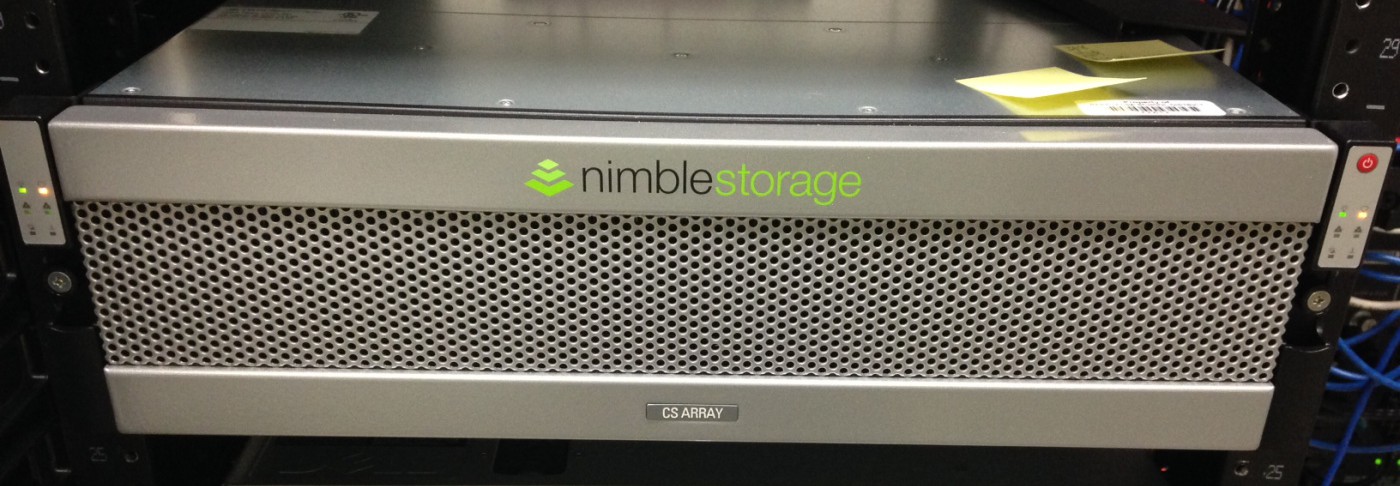
I was thinking about backups the other day and realized we haven’t had any storage issues in a while. I’m sure that’s thanks to our relatively new Nimble Storage Array. I also find myself wondering why our wifi system can’t be more like the nimble. Human understandable GUI, cost effective, plays well with everything, just works and can be mastered in an afternoon. But I digress.
Looking at moving forward with an offsite backup strategy, we have two solid options: buy a second nimble array and host it at one of our school sites or rent space on the County Office’s nimble and snapshot over to it from ours.
Part of me likes the idea of not having to manage another box but honestly with a nimble array, it’s a minor concern. Hosting at the county has an appeal for their better backup power and redundant network connections. It’s also nice to have someone else to call when things go wrong. But then, we lose some capability going hosted and no one every got fired for buying too much storage. But do we need it?
With our move to gmail and Google docs, local storage is becoming less and less important however some applications still have the potential to suck loads of data. When we start installing IP cameras and steaming HD video back to the SAN, we’ll start filling up all that storage, unless I can find way to stream it to Google Drive.
Nimble Storage has made it almost too simple to not locally host our own backup solution. If I still weren’t aiming for a Zero Server Server Room, buying another array and housing it locally would be a no brainer. Or maybe we will buy another Nimble but host it in the County Office’s new data center instead of at one of our sites and get the best of both worlds.
Data backups used to be a major concern for technology departments before services like Google Vault came around. Given that Vault is now free to schools and Google Drive storage is unlimited, it seems silly to still be talking about local storage. The real challenge now is uninterruptible Internet access. We’ve become so dependent on the Internet for core services that not having a backup connection through an alternate route is the real worry. Too bad Nimble doesn’t make a magic box for that.

Cisco, HP, Ruckus, Meraki and now Aerohive. I’ve used a lot of wireless systems in my time and I’ve come to appreciate when wifi has just worked and practiced my cursing on systems that promised the sun with every future update and delivered something more like a florescent light bulb.
For a time I deluded myself into thinking that with one Access Point per classroom, any system would be good enough but in the wifi space with a heterogeneous network approaching 5,000 district owned wireless devices and who knows how many personal devices, I’m finding it’s the little things that really count and one AP per classroom has brought a whole new set of challenges.
With density comes different issues. Channel overlap and power settings become critical. A client’s ability, or lack of, to roam seamlessly between APs without taking 5 minutes to re-associate manifests as intermittent disconnects and support tickets piling up for “no Internet”. A lack of visibility to what is going on, either because the charts don’t update properly in the current version or because there are not charts for important data points like what a client is actually doing on the network grow tiring when attempting to troubleshoot “the Internet is slow” complaints that are inevitable but disruptive to learning. Other things, like AirPlay Mirroring performance tanking for no apparent reason, are easy to blame on the wifi but hard to actually point to a specific thing and say, “Ah ha, if only we force AppleTV to 5Ghz, with unlimited bandwidth, we’ll be back in business!” Sadly no.
I have yet to find the perfect wifi system but I know what I miss. I miss easy access to client usage data, being able to see at a glance which clients are doing what on the network. I miss a system that supports roaming MacBooks without jumping through a million hoops, actually auto balances channels and power and integrates Google Apps authentication without a per user charge. Above all, I miss a GUI interface designed for humans instead of engineers.
I’m not sure why Wifi is so hard. I don’t think it has to be. Like everything else in IT these days, maybe I’m chasing a dream of a streamlined, easy to use system that just works. With just 10 sites, I’d like to think I should be able to have a wireless system that doesn’t require a full time network engineer to manage. Lately, I’m wondering if it’s really possible.
I get this every once in a while from the folks in schools that aren’t in the classroom. Google Apps isn’t for real work and kids need to learn Microsoft Office to compete in the work force. Really?
US Army Goes Google – http://googleenterprise.blogspot.com/2013/10/us-army-to-cut-costs-improve.html
72 of the top 100 Universities use Google Apps – http://sheepdog.com/2013/05/what-do-72-of-the-100-top-universities-in-the-u-s-know-that-you-dont/
Over 50% of Fortune 500 use Google Services – http://talkincloud.com/google-apps-vs-office-365/google-apps-business-fortune-500-companies-engage
Before there was Microsoft Word, there was WordStar. Platforms change. The world is going Google and Google Apps is the right platform for the classroom. So if the Army can run on Google Apps, schools should be able to as well. It’s better for learning and that’s what we’re all about.
When Jon says best, I listen (unless he’s talking about iPads).

Check out the blog post about grading projects by Reed Gillespie here.

I shipped out for basic a few months before my 18th birthday. My service wasn’t heroic or brave or even selfless, I enlisted to escape. That plane ride to Fort Sill Oklahoma saved me from a dark path and offered me the possibility of something better. The G.I. Bill put me through college where I met my wife and started my career in tech. As a high school teacher, when my students found out I had been in the Army, they would ask me about it. I taught in a poor rural school. The military was an out for many in the community, as it once was for me. However, I served in peacetime, Somalia not withstanding. Serving in war time, with Iraq and Afghanistan facing my students right after basic meant something else entirely. And so I would tell them that enlisting was the best decision for me at the time but that the biggest threat I ever faced during my tour was of a Soviet invasion of southern Germany in 1992 and the Great Flood of 1993.
I never told them, but in truth, 17 year old me really wanted to go to war. Too much G.I. Joe as a kid, I guess. I wanted to enlist after Iraq invaded Kuwait in 1990 but my parents wouldn’t allow it. I had to wait the year out until finally my mom signed the paperwork that sent me on my way. And so I never did get to go to war, instead I learned all about mechanical, electrical and hydraulic systems, drove every wheeled and tracked vehicle in the Army’s inventory, ran paintball scenarios with a bunch of rear echelon paper pushers and ETS’d out after my first enlistment to go to college. Had it not been for that councilor at Rock Island Arsenal, I probably would have accepted my PCS orders to South Korea and eventually I would have seen war first hand, if only as a mechanic.
As I watch the happy veteran’s day tweets pile on today, I’m reminded that I got more out of the experience of serving than I ever put in and for that I will always be grateful. And so today, to my fellow veterans who served and to those who continue to carry the weight of our nation’s safety on your shoulders, I solute you.
Well, I just finished my reflection for Module 2 of the Professional Leading Learner LEC program. If you need something to put you to sleep, you can read it here. What I didn’t write about but was thinking about is the activity we did about presentations. As teachers I have always believed we need to step up our presentation games, faced with professional media outlets, TV and now YouTube. We are in a war for student attention and we could all use some presentation pointers. In the pre-service teacher tech class I used to teach, I used the following two videos to illustrate the difference between what it’s like for kids in our class and what we should strive for it to be like.
Every presentation I ever had in High School:
And how I wish they had been:
Where do your presentation skills fall on the above spectrum?
 There is no box