K-12 Superintendent, reformed IT guy, educator, 1:1 evangelist, life long learner, father, husband, geek, ex self-propelled field artillery turret mechanic, GCT, CCTO, INFP
Well, I just finished my reflection for Module 2 of the Professional Leading Learner LEC program. If you need something to put you to sleep, you can read it here. What I didn’t write about but was thinking about is the activity we did about presentations. As teachers I have always believed we need to step up our presentation games, faced with professional media outlets, TV and now YouTube. We are in a war for student attention and we could all use some presentation pointers. In the pre-service teacher tech class I used to teach, I used the following two videos to illustrate the difference between what it’s like for kids in our class and what we should strive for it to be like.
Every presentation I ever had in High School:
And how I wish they had been:
Where do your presentation skills fall on the above spectrum?
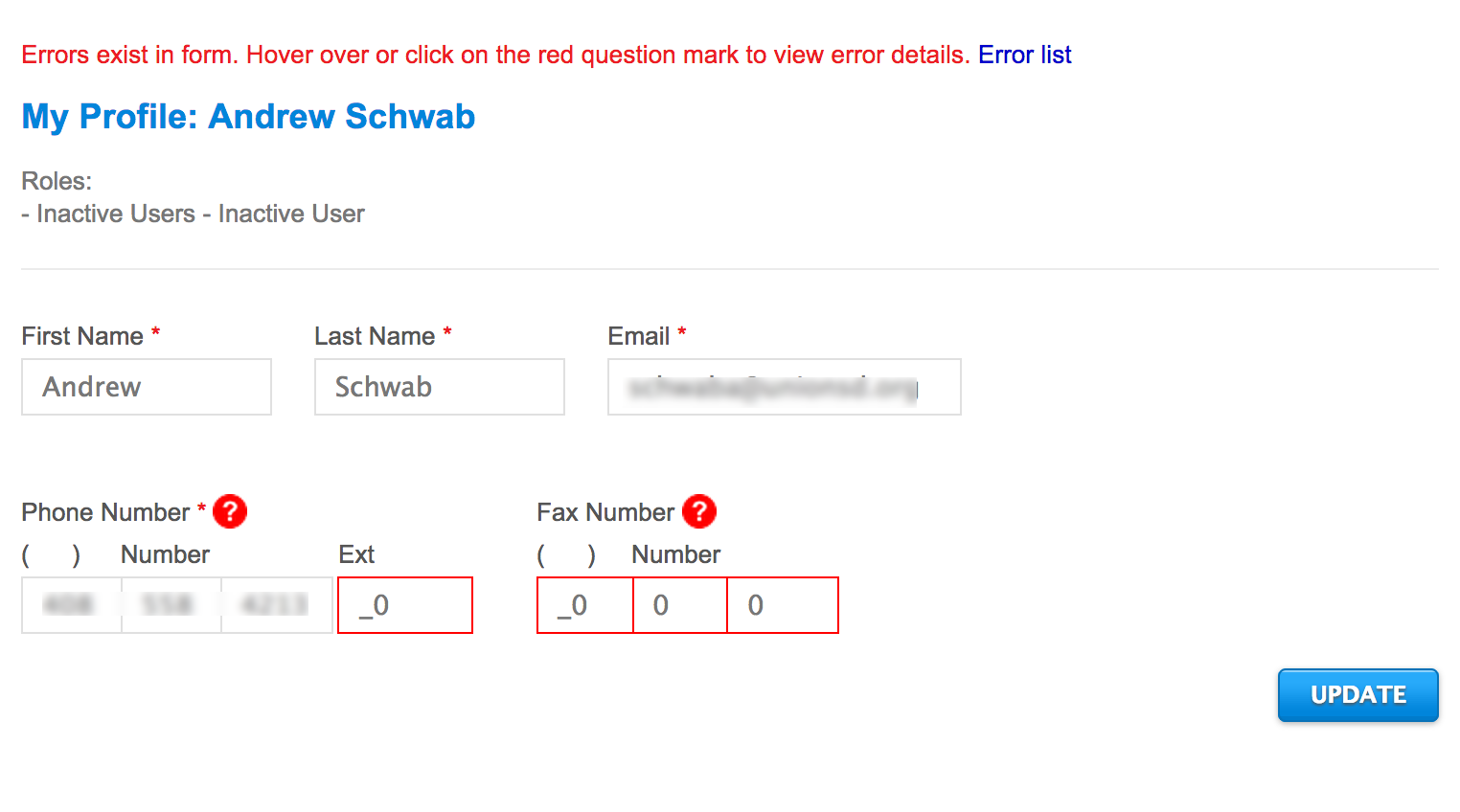
I received a login invite to the new CAASPP online assessment Admin interface Test Operations Management System (TOMS). The first thing I did after checking out the sparse dashboard interface was check my profile for correct contact info. Never mind the inactive user, not sure what that’s about, I went to update my contact number and was met by this gem of a message:
It won’t let me update my profile unless I provide a 6 digit extension and a fax number. I don’t know about you but I don’t have a 6 digit extension and I don’t use fax. Scary behavior for the system that is going to administer our online assessments in a few short months. Let’s hope they work on building in some common sense because right now, hope is all I have.
It is the nature of us that the few will make YouTube videos about car repair so that rest of us can be “YouTube” mechanics.
In such a reality, do we all need to learn how to make videos the same way we all must learn how to read and write? I don’t know the answer but I suspect it might be no. Just as we gravitate towards different interests, video production might not be a new required literacy but rather a craft to be pursued, much as painting and wood working are. So in that sense, media production would look more like shop class or art class in the secondary grades instead of reading and writing in the primaries.
Where do you think media production should fall in the learning process?
Recently, Jon Corippo called me out on twitter for taking the easy route with chromebooks when it comes to getting devices into the hands of students. I respect Jon immensely as a visionary educational leader who consistently challenges me to think about what I am doing and why. In fact, Jon is the person who set me on the 1:1 path. Jon is constantly pushing the boundaries of conventional thinking. We need people like Jon to challenge us. People who live ten years in the future and inspire us to be better, to do better, to ensure the future they live in will come true one day. Without visionaries like Jon, we would still be writing in the dirt with sticks and wondering what the surface of the moon was really like.
But there is a difference between being a visionary living in the future and living in the present working to make the future a reality for everyone. The reality for many districts is one of underfunded technology, understaffed technical support, non-existent edtech departments and spotty infrastructure. For districts with limited resources, easy may mean the difference between a future with 1:1 access for students and good old textbooks. So yes, to make the future accessible for students today, I’ll take easy over never every day of the week.
What devices are you providing your students and why?
Fall CUE has come and gone. What a weekend. After an hour and a half turned three and a half hour drive up Thursday night, Friday morning came way too early. CUE had a new registration system in place. One that involved bar codes and printing instead of manual hunt and peck through folders. After a slight hiccup on the server side, the line moved along at a respectable clip. It would have moved even faster, however not everyone, myself included, had their bar code ready to go but for those of us that forgot (or just plain couldn’t download the bar code) email address or name sufficed. While the line moved along, it still managed to wrap outside the admin building for most of the hour it took to get everyone through. Here’s hoping there are a few more printing stations available next year or they can convince people to come to early registration, maybe with a no host bar in the hotel lobby? Sadly missing was a dedicated speaker line, which silly as it sounds, would just add a bit more thank you to the presenters who spent their time preparing and sharing with fellow educators for this two day event.
Following a disturbing trend at CUE conferences lately, wifi was spotty on the first day.
Mike Lawrence, CEO of CUE, recognizing the basics needs of all humans.
The conference was at the mercy of the district wifi network and techs could be seen walking around with wifi test equipment searching for problems. With a series of issues identified and addressed through Friday morning, intermittent problems continued to plague several attendees throughout the first day. Personally, I would not want to host an event with over 1200 uber edtech users at one of my schools but I’d have a bit more confidence in my equipment knowing it was brand new than I would in a mixed environment of old and newish access points configured without bandwidth limits or separate SSIDs for presenters and attendees. Day two saw wireless stability return to CUE, leaving me to question whether it was the lower turnout or the disabling of band steering that actually made the difference.
Day one also saw long lunch lines. The lunch vendor arrived late and towards the end had to resort to making individual orders for folks. Multi-talented CUE Board Member Roger Wagner lent a hand making salads behind the counter to keep the line moving. Again, day two went much smoother, with short lines and plenty of food.
Feedback for the conference from my teachers and principals (including @PrincipalUMS) was positive overall with generally good things to say about the majority of the sessions. As will any pre-slugged conference, sessions can sometimes be hit or miss and with rooms packed with people, voting with two feet can sometimes be intimidating. There were a few sessions that I wanted to attend but arrived late to and wasn’t able to squeeze myself in to find a seat. I ended up hanging out and catching up with folks, which sometimes is better than any session could ever be.
Somehow I managed to miss out on the coffee on the first day and didn’t realize that there wouldn’t be any coffee on day two. Luckily a call for coffee on twitter Saturday morning brought Sam Patterson and Mike Vollmert to the rescue with Mochas from Starbucks. Coffee would have been nice to have on Saturday, especially with the rainy weather.
Diana Laufenberg‘s closing keynote was the most inspiring and on point presentation I’ve heard so far this year. She has me thinking about how I can re-design our PD to be more student focused and to inspire creativity and innovation in our classrooms. Her, “It’s not what you know but what you can do with what you know” slide should be plastered on the walls of every classroom from here to the moon.
Beyond the conference sessions, it was great to catch up with people I haven’t seen in a while. The general consensus was that we’re all way too busy. The edtech explosion seems to have all of us running around like crazy trying to keep up with the demand. Suddenly everyone wants to be (or needs to be) a computer using educator.
My overall experience this year was much better than last. American Canyon High School is a beautiful campus. I think even with a 1200 attendee cap, Friday still pushed the campus to it’s limit. Saturday was much more pleasant, even with the rain. The sweet spot for the venue is probably around 1,000 attendees. And the wifi definitely needs an upgrade. 802.11AC support would be nice and the ability to disable 802.11b and set bandwidth limits would be nice too.
I suppose the measure of any conference is, “Would I send people again?” The answer for Fall CUE 2015 at American Canyon is yes, with the caveat that a slightly lower attendee cap and upgraded wifi would be much appreciated. Of course, the alternative would be to find a bigger venue and let demand dictate attendance. I think 2,000 is attainable, but what wifi network could support us all? I wonder.
Full disclaimer, I’m a current elected board member of CUE, the non-profit organization that puts on the Fall CUE conference in American Canyon, CA.
Jon Corippo and Chris Scott debating iPad vs. Chromebook at Fall CUE in Napa, CA.
I’ll cut to the chase. There is no such thing as the perfect device. Not in our personal lives and certainly not in school. While I tend to gravitate to my tiny iPhone 5 for twitter, calendar, email, photos, video and the occasional phone call, I do my serious work on a MacBook or more recently a chromebook while almost all of my content consumption now happens on an iPad. If forced to limit myself to just one device, I’d keep the iPhone hands down. I’m guessing most people would make the same choice.
Now that we have moved beyond the debate over wether we should be providing a device to every student and onto the debate about what device we should be using, for many it’s proving to be a more difficult conversation. Too often, the device decision is made as either a technical or an instructional one. I would argue that it can’t be one or the other, but rather it must be both. Instruction cannot drive the discussion without input on the technical challenges and conversely, technology considerations should not solely define the instructional environment. As an example, iPad proponents are quick to point out that iPads offer a multitude of content creation opportunities over a chromebook, while chromebook supporters like to point to the expensive nature of iPad deployment and management at scale as being a compelling reason not to use iPads. I could be accused of doing both at one time or the other because both arguments are right.
Every device choice will involve compromise. The compromises on the instruction side generally involve one of the 4 C’s. In addition, the specter of the 5th C, CAASPP, the state online assessment, is hanging over everything. On the technical side, the C that can’t be left out is Cost. Cost of the device, cost of support and cost of ongoing sustainability are driving factors wether we like it or not. If cost wasn’t a factor, every student would have three devices and a private tutor. As much as some of us would like to think otherwise, CAASPP and Cost are very real factors that must weigh into any device decision along with supportability, sustainability and the instructional goals.
The bottom line is this; there is no one perfect device for the classroom but we are closer now than ever before to being able to provide every student with a device, and that has the potential to transform how we teach and how students learn.
Back to my thinking on devices.
Chromebooks and Google Apps for Education go together like Chocolate and Peanut Butter. It’s like they were made for one another. On top of that, Google has solved the management challenges of supporting thousands of mobile devices better than the promise of Microsoft AD and Group Policy ever did. Chromebooks with the chrome management console just work. They are ready to use when and where they are needed and they can be setup and pushed out with minimal effort. Multi-user support is inherent. Tech support is still needed but in much more sustainable ratios than with other options.
Apple iPads took the classroom by storm. They were novel, cheaper than a laptop and full of promise for a brighter future. Their ability to redefine what computing looks like is unparalleled and the multi-media creation tools are accessible and easy. And there are all those apps. The reality on the technical side is much less bright. Management in large environments increases Cost and Complexity which affects usability. Their weakness in supporting CAASPP and the high cost to fully support make them challenging to scale and sustain. Plan on a significant ramp up in tech support to ensure a working learning environment.
Windows is still around and still suffers from support challenges on mobile devices at scale. Many districts have dialed in desktop and lab support but at a Cost higher than a similar chromebook option with questionable instructional benefit. The ability to run Microsoft Office is no loner justification enough to maintain such an environment. With more and more applications moving online, the need to maintain a full desktop OS is becoming obsolete.
Too early to tell.
We’re really too early in to this transformation to 1:1 computing in school to make a definitive declaration that one device is better than the other for impacting the classroom and student learning. Truly at the end of the day, it’s not about the device, it’s about the instructional practice and the teacher mind set in the classroom that will transform student learning. The basics of ubiquitous information access and collaborative content creation tools can be met by just about any device. I believe it is the ready access to information and what teachers and students can do with the information that is the game changer. Convincing a teacher to adopt new pedagogy and new instructional strategies in this changing information paradigm is the real challenge.
Meanwhile, in the workplace and college, people are happily using multiple devices to meet their working and learning needs. Makes me think that 1:1 for kids could start looking a lot like the old 4 computers in the back of the classroom model. Too little, too late.
I am working on my last minute addition to the #fallcue presentation lineup for Saturday entitled “Going 1:1 with Chromebooks” and I’m having a hard time finding enough material to cover the 50 minutes. Chromebooks are just too easy. It goes something like this
Step 1. Go Google Apps for Education (GAFE)
Step 2. Get good wifi and decent Internet bandwidth
Step 3. Buy lots of chromebooks
Step 4. Unbox chromebook, connect to wifi, enroll in GAFE domain, repeat (In our case, 3600 times)
Step 5. Send chromebooks out to schools
Step 6. Students use chromebooks
Now, if I was talking about going 1:1 with iPads, well, 50 minutes might not be long enough.
This past weekend, Mike Vollmert, my co-host on rebootED podcast, and I helped a one school district jump start their journey into the 21st Century. People that follow my smallschoolbigtech.com podcast know I’ve got a soft spot for small schools. I’ve spent the majority of my edtech career helping small schools go big with technology but the last few years I’ve found myself at larger districts with different challenges. It was refreshing to get back to basics this weekend and really make a difference.
So what does a small school big tech intervention look like? Well, first we had to do some basic digging to see how things were setup. The district had been contracting support with a local tech company that didn’t know much about education. In my experience, what often comes from that is just enough support to keep things going with no forward movement in supporting or enabling the classroom. And that’s about what we found.
With a basic assessment done, we went to work on a complete wireless system upgrade and expansion. To provide wireless in every classroom, we installed new Meraki access points. The Meraki cloud based management system is so simple to setup and use, we ran the local techie teacher (no offense Jon) through it in just a few minutes. For districts without super tech admin skills, it’s the best investment in wireless that can be made.
We also setup 60 Acer B113 notebooks with Ubermix for the 6th and 8th grade classes. We opted for Ubermix because of the rural nature of the school and the limited internet access at home. Local apps still make sense in some places and the ease of support, setup and management of Ubermix still can’t be beat when you really need a full blown Operating System. In fact, installing Ubermix is so easy that when I say we setup 60 devices, what I really mean is that the students rotated in throughout the day and installed it themselves. We also had student helpers installing power supplies in carts, unboxing devices and assisting with teacher laptop updates. It was pretty awesome.
This was all possible because the district had already gone down the Google Apps for Education (GAFE) road. That meant no windows accounts to mess around with, no network folder mappings, no joining of devices to a domain. They just had to connect the Ubermix devices to the wifi and off they went. But even if they hadn’t already been on GAFE, it would have been straight forward enough to get them onto it.
In a weekend, we laid the basic foundation for possibilities in the district’s classrooms. Possibilities that did not exist the week before. This isn’t rocket science. Setting up a technology environment focused on learning that provides affordable, supportable and sustainable access for teachers and students is easier than it has ever been. Going 1:1 really is within the reach of any district willing to commit to embracing change and focusing on teaching and learning in the 21st Century.
I can’t believe it’s already the end of October. The school year is flying by. I’m super excited to have 20 teachers and a Principal from my district attending Fall CUE this year. I love Fall CUE because it is a totally accessible conference for first timers, given it’s relatively small size of 1200+ attendees and one campus location at American Canyon High School. It’s also great to see people from up north who can’t always make it down to the spring conference in Palm Springs.
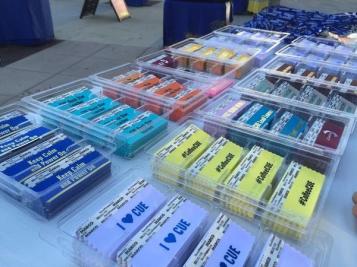
Badges are cool but there is way more to #fallcue than fun badges. Personally I am looking forward to attending some of the great STEM/STEAM sessions and networking with fellow educators passionate about empowering student voice through technology. As a CUE Board member, it is thrilling to be able to help support such an amazing group of dedicated professionals, from the volunteers to the CUE Staff, who work so hard to make sure everyone has a great experience.
Not often do I look forward to waking up early, but tomorrow is one day I won’t mind. 7:45am, here I come. And here’s hoping there are some cool badges left when I get there.
An old acronym from my Army days. I think it’s apropos for the general state of technology support in California Public Schools. The above is the work safe definition, by the way. Checkout wikipedia for the grown up version.
I’ve been thinking a lot about tech support lately. The boots on the ground, in your face support that is so sorely laking in many schools. With the exponential increase in student mobile devices (chromebooks or iPads, take your pick) and the ever more dependent technology infused instruction taking place in classrooms everywhere, simply keeping up with the support ticket queue is becoming a real challenge. Even small school districts moving towards 1:1 are facing orders of magnitude more support demands than they have ever had to consider when the dominate computing model was a few computers in the back of each classroom and 1 or 2 computer labs per site.
Industry, long ago made dependent on technology for competitive advantage, solved the support problem, more or less, by hiring people (1 per every 150 computer users!) and refreshing their systems at reasonable intervals. Larger industries attempted to increase the support to computer ratio by implementing complex systems managed by back end server people (Virtual Desktops!) to get that ratio up to 1:1000.
School district support ratios initially kept pace with technology but as more student devices came online the numbers have progressively increased, with 1:750 – 1:1500 being common. In my district today, we are at close to 1:2000. This happened basically overnight, with a large deployment of chromebooks to support the Common Core and a push for all students to have access to technology in their classrooms. We have attempted to streamline support as much as possible by empowering users with local control – admin for all, simplifying access, standardizing on hosted solutions – GAFE and JIVE, reducing printers – or trying to and embracing consumer simplicity over specialized complexity – iPad/AppleTV vs IWB. The goal always being to increase student access to devices, empower teachers with technology and refocus limited resources on supporting classroom as opposed to spending time on maintaining back end systems and spending dollars on big iron.
Despite our best efforts, I’m seeing a familiar and disturbing trend with our ticket types. Old legacy systems (those white square MacBooks anyone) and printers are taking up a disproportionate amount of the overall incoming deluge, followed quickly by simple how-to requests that speak to a basic skill level that one would expect to exist by now but clearly doesn’t.
Once again I’ve pushed things to the limit. The delicate balance between support capacity and classroom capacity has tipped a bit too far in favor of more technology in the classrooms. Printing can’t go away until everyone is living in a digital workflow and wireless is still hard, even with one Access Point per classroom (thanks AppleTV). Basic troubleshooting, or just google searching, still isn’t in everyone’s tool kit and a how-to video response isn’t for everyone. The result has been a noticeable increase in support response times, affecting both classroom instruction and forward progress on projects. We’re back in firefighting mode and with even more mobile devices on the way, I don’t see any other resolution than to put more boots on the ground. Unfortunately, many districts are in the same boat. Caught between a demand for technology like never before and being critically and chronically understaffed, a legacy from the past we can no longer afford.
I left Le Grand after the first great iPad deployment with a plea for more tech support and wisely, they hired more staff shortly after my departure. Thankfully I don’t think I’ll have to leave before I see that happen again, but for any district thinking about going 1:1 and not looking at ramping up front line tech support along with it, they might want to start. Increasing tech support by a factor of 2 would be a good place to start.
Maybe next time I’ll talk PD and instructional technology support, the third rail of 1:1 deployments. That’s been on my mind lately too.