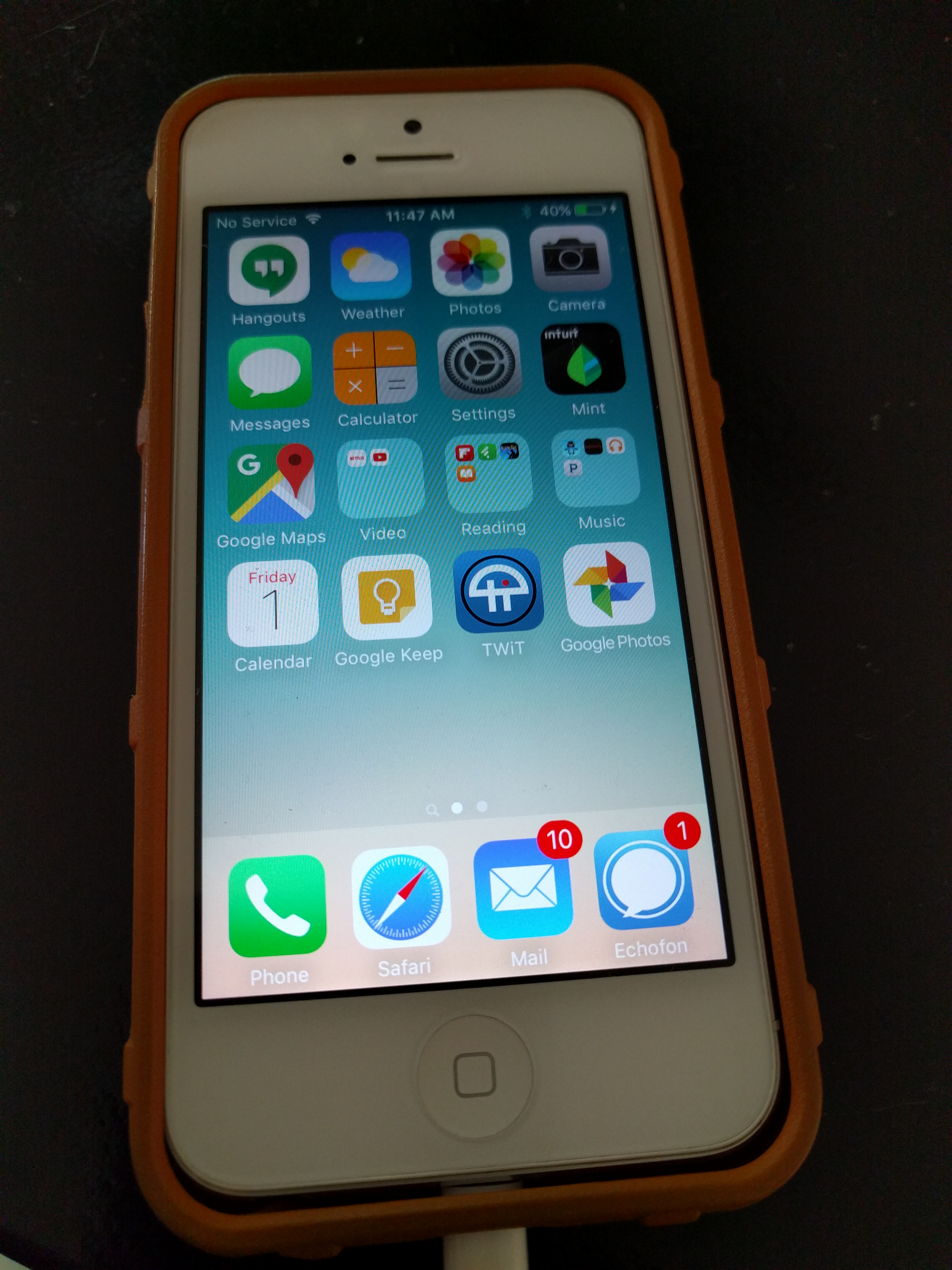
• One of the bigMy Android Appsgest concerns for me with switching to Android from iOS was the Apps. Over the years I have invested a lot in iOS Apps (a lot). I easily have several hundred and I wasn’t sure if I’d miss any of them by moving to Android. What I discovered is that I was suffering from App bloat. I had dozens of Apps on my iPhone that I downloaded once and never used again. Thankfully, I’ve been able to find all of the iOS apps I (and more importantly, my wife) were using on a regular basis on Android. After the great app cleansing of 2015, we now have the apps we need and use and no more. It’s a rather liberating experience.
    While app compatibility is nearly complete, there have been a few apps that have been harder to replace than others.

    Twitter

    I tried to use the native twitter app. I really did. But the promoted tweets were just too annoying. And I really missed Echofon’s interface. I’d been using it as long as I’d been on twitter (essentially forever). On to Talon, it was ok but I couldn’t figure out the push notification thing. Then to Echofon for Android. I thought I had it, but it was just different enough on Android to be off putting. A quick Google Search got me to Tweetings. Tweetings has push notification and Material Design. With a week of use under my belt, it is by far my favorite Android twitter app. I’ll be keeping it.

    iMessage

    I was just getting used to the ability to sync SMS and iMessages between my iPhone and MacBook. Looking to replicate the experience, I installed Pushbullet and setup the sync. It worked for a while but at one point it stopped syncing from my phone to my computer and I basically gave up. I really miss this feature (so much so, I had a moment of weakness and was drawn back to the iOS side for a bit)

    Keyboard

    This one both my wife and I noticed. The Android keyboard is taking some getting used to for us. After over six years on iOS, we’ve both become accustomed to the keyboard layout and QuickType (all joking aside). The keyboard layout and figuring out Cut and Paste have probably been the two UI transitions that are proving the most difficult. And yes, we did try SwiftKey, but that’s more Blackberry than iOS like. We’ve taken a step back in typing speed and accuracy. I’m hoping that improves over time. Why can’t we have a universal keyboard across smartphones?

    What else? I’m still getting to know the Camera App. Off all the apps, Camera and iMessage were probably the two I used the most in iOS without thinking and Camera on Android is definitely different. I’ve barely begun to explore the native Nexus app but I have been told there are better Camera apps out there. I’m a big fan of native (ie. simple) unless there are a ton of promoted (ie Ad) messages popping up all over.

    Now that I have an Android phone, I really want to dig into the photosphere possibilities.

    Screenshots

    I figured it out! (well, Google helped) Odd how much I used this feature in iOS. It’s a bit clumsy in Android but supposedly it’s going to get easier soon. The point is, it can be done.

    Google Apps

    What can I say? They just work better on Android than in iOS (duh!). Under iOS, I felt hamstrung when using Google apps. The integration was almost there, but not quite. On Android, all my Google accounts work seamlessly (switching between two accounts in gmail, hangouts and keep is subtly better) and Google Now is on all the time. Add to that the fact that notifications in Android works much more straight forward than in iOS and the overall Google App experience is worth the price of admission.

    To sum up, in making the jump from iOS to Android, finding a Twitter app was the hardest challenge for me, otherwise, all the apps I want or need (so far) have been available on Android. Installation is straight forward, oh and the 2-hour return option for Apps in the Play Store is pretty awesome. Helps when trying to find the right twitter app :). A few more months on the keyboard and I think the keyboard thing will be a moot issue.

    If only there was a killer SMS/Message desktop integration option (Save me Project Fi, you’re my only hope…)


  • My Nexus 6P

    My conversion to the Android side continues…

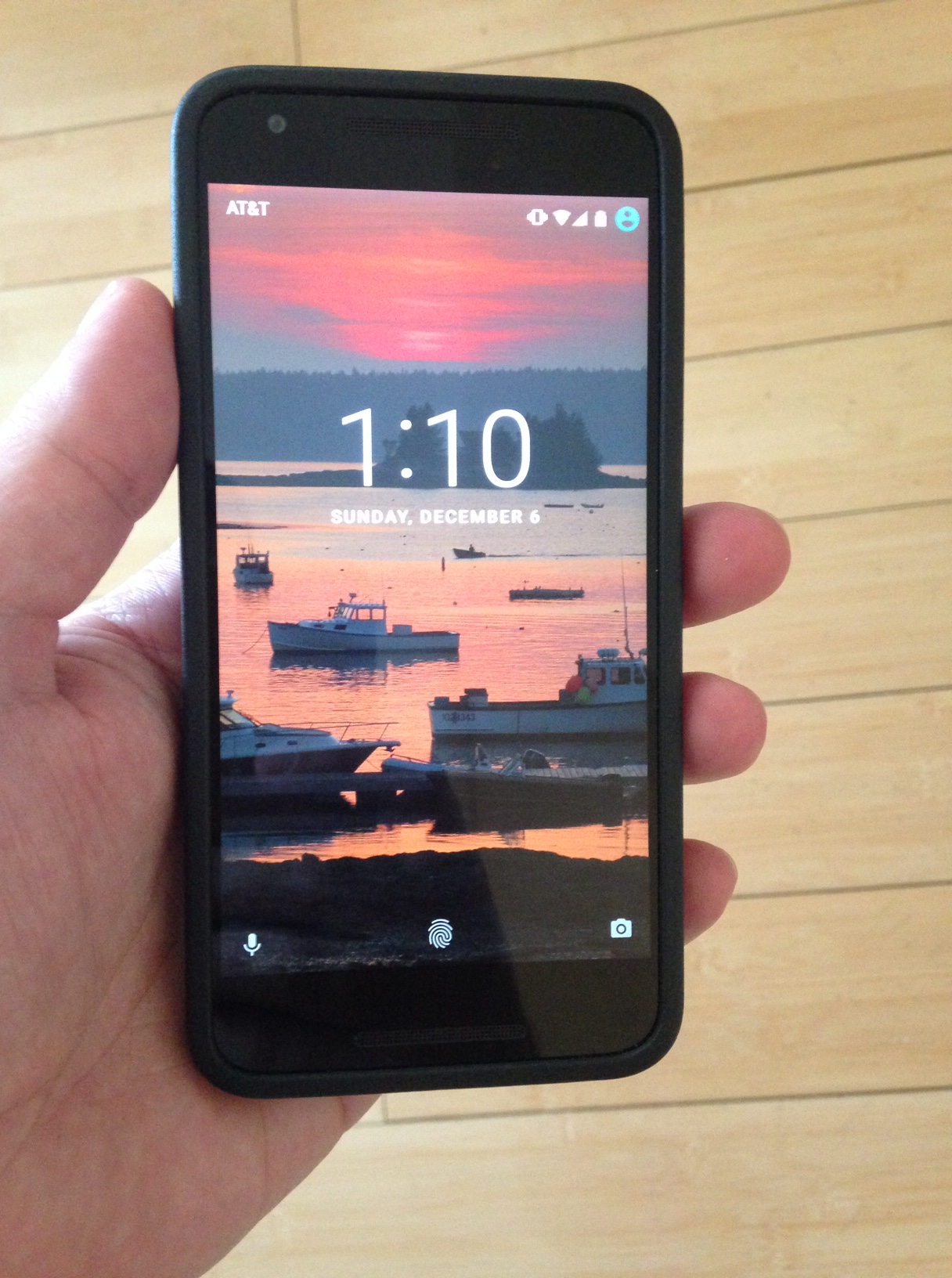
    The Nexus 6P arrived last week. I’ve been using it (mostly) since the day I took it out of it’s very thoughtfully designed packaging. The first thing I noticed when comparing it to the Nexus 5X was how much more substantial the 6P felt. The reviews are right, the 5X feels toy like by comparison. The 6P is larger compared to the 5X, but deceptively so. Side by side, the 6P is only slightly stretched out on all sides. Initial setup was a breeze thanks to the ability to copy settings and apps from one Android phone to the other. I swapped the SIM card and then, the comparisons started:

    • The AMOLED screen on the 6P is gorgeous. The 6P’s 5.7″ screen hasn’t made anything better or easier to read however.
    • The 6P is noticeably snappier, where the 5X had a few instances of lag, the 6P has had none. It’s fast.
    • The weight, I definitely notice the weight difference. Where I can easily hold the 5X one handed for ever because it’s light as a feather, after a few minutes of one handed 6P use my wrist starts to feel it.
    • And it’s slightly top heavy, thanks to the camera.
    • It’s only slightly bigger but whereas I could just barely one hand the 5X, my thumb can’t get to the other side on the 6P. The 6P is also big enough to be noticeable in my pocket where the 5X blissfully disappeared to the point of me forgetting the phone was there.
    • The 6P won’t fit in my car’s cup holder, the 5X fit perfectly. Car manufacturers take note.
    • The speakers. The 5X on speaker phone was Ok, the 6P is awesome. Playing music or video on the 6P (sans headphones) is a delightfully loud experience.
    • The battery on the 6P is insane. Like “I will never worry about running out of battery at a conference again” insane.

    I’m a few weeks in with Android now and the journey has certainly been interesting. App Wars, a pull back to the iOS side and Google (Project Fi) Strikes Back to follow.

  • Ok, I saw the movie yesterday. We took the team to a 9am showing. Teambuilding! We saw it in IMAX 3D (or what I would call mini-IMAX). I’m not really a fan of 3D so I will be taking my kids to see it in good old fashioned 2D. If I could find a 70mm projector theater, that would be my preference too, but I digress.

    Now that I’ve seen the movie, people want to know what I thought. Before I answer here, some background. You see, I’m of the generation that saw Star Wars (none of this Episode IV New Hope nonsense) in the theater when I was 4. It was my first theater experience. I have probably seen Star Wars at least 100 times since, in various formats from Laser Disc to VHS to TV Movie of the week. I could watch it a hundred more times and never get tired of it. It’s that good.

    The Force Awakens, “It’s OK”. Certainly no where near as horrible as the Episode I-III disasters but not quite in the same league as the originals (at least Star Wars and Empire). What I’ve (sadly) come to realize is that somewhere along the way, Star Wars stopped being movies for adults and started to be movies for kids (the transition is subtle in Return of The Jedi, but it’s there). And there in lies the problem for me.

    In Star Wars, Han shoots first. problematic for kids, perfectly grey for adults. Empire is dark and depressing. Great for adults, a bit scary for kids. Jedi has Ewoks. As an adult, I so wish it had Wookies instead. But kids love Ewoks and kids buy toys (or get their parents to). Episodes I-III, Jar Jar for the kids.

    [SPOILERS BEYOND THIS POINT]


    Force Awakens is a more kid friendly mashup of Star Wars and Empire story lines. It has elements from both that fans will defiantly recognize. Rey is Luke, BB-8 is R2D2, Han is Obi-Wan, Po is Han, Finn is C3PO (think about it!), Kylo Ren is Vader, Snoke is the Emperor, and Luke is Yoda. There are lots of opportunities for Toys with secondary characters that didn’t add much to the movie and a less “official” tone to the battle planning scenes. In the Resistance command scenes, the good guys basically say, “been there, done that. We know how to fly x-wings at a big space station and blow it up. Let’s do this!”

    And what’s up with that name “The Resistance”? Didn’t the Rebels win? Did the Senate reform and decide to call their new Army, The Resistance? And “The First Order” too. They are the Empire! Who cares if the emperor is dead, the Empire lives on! Sorry, I was a huge fan of the Admiral Thrawn trilogy and would have loved to see that story line come to life on the big screen. Perhaps better that it lives on unadulterated in the books though, too many bad book to screen adaptations exist out there already.

    On a side note, what happened to Y-Wings? I mean, come on, budget cuts? Did the CGI guys lose the model? If you are going to bomb something, Y-Wings!

    Personally, I would have preferred it if they had ended Episode VII with R2D2 waking up from his deep thinking and saved the big reveal for Episode VIII. But fans would have probably revolted at that (and there would have been one less action figure to sell this christmas).

    Overall, The Force Awakens for me falls somewhere between the original trilogy and the trilogy which shall not be named. As a bridge to a new Star Wars generation and Universe, I am hopeful for the next two movies. As a father of two girls, I look forward to seeing Rey come into her own as a powerful Jedi (great role model for them) and wonder if Kylo Ren will ever become anything more than a tantrum spewing little Vader wanna be. I guess I will have to wait until 2017 to find out. For now, it’s back to the theater with the kids to see the movie as movies should be seen, in 2D!

  • Nexus 5X

    Ever since I upgraded my iPhone 5 to iOS 9, I’ve been frustrated by my daily phone experience. The situation had been deteriorating for a while, with daily Google Account access becoming so frustrating, I actually installed Outlook on iOS in an attempt to make email work on my phone. For me, my phone is where I do the majority of my work and it had literally become painful to make it all play nice under iOS. My old iPhone 5 also took a performance hit with iOS 9 and the tiny 4″ screen was causing feelings of inadequacy at meetings where everyone was touting their 5.7″ monster phones.

    I’d seriously considered making the switch to Android when the Nexus 5 came out. With people like Mike Vollmert and Jim Klein egging me on, it seemed like a sensible thing to do. But family iMessage, battery life and the camera all held me back. All of that and the comfort of knowing iOS worked well for our family (with iPads and AppleTVs being abundant in the house). So for the past two years I made it work for me. But this time around I decided it was time to look at Android again.

    The three main sticking points last time are mostly gone with the camera being on par with the iPhone, the battery being better in Android (although I don’t think as good as in iOS) and iMessage no longer being an issue now that we have an SMS plan (yes, welcome us into the 21st century, thank you).

    On black friday, I took advantage of the $80 off deals at the Google store and bought a Nexus 5X 32GB. Of course it arrived while I was down at the CETPA2015 conference. As soon as I got back, I unboxed it, set it up and have been using it since. Yesterday, I took it to #edcampsalinas and put it through the paces. Using it for a solid 4 hours of active use, I made it home around 3pm with 5% battery left. Running Google Maps to and from and installing and updating apps while following the edcamp action on twitter all morning was a torture test and the Nexus 5X held up well. I’m a huge fan of the Finger Print sensor on the back and the notifications in Android have already simplified my work flow. What’s really apparent is the seamless integration of both my personal and work Google accounts into the OS. They both just work. I’m still working through possible twitter apps, being a long time Echofon user on the iPhone but the native app works well and Jim recommended Talon which I’m also trying out.

    The big win is Google Now. The Cards are really cool and I look forward to getting to know all the things it can do for me (or is that Google getting to know me more?). Google Keep is also something I need to explore, having lost the integrated Notes app in iOS and MacBook.

    Based on my 24 hours with the Nexus 5X, I have now ordered myself a Nexus 6P and as soon as it arrives, the 5X will be replacing my wife’s iPhone 5 . I really like the size and form factor of the Nexus 5X but I realize since the phone is my primary computing device, I’m going to need the extra battery and the extra CPU horsepower of the 6P.

    Things I thought I would miss but haven’t yet:

    • AirPlay mirroring. I realized that most of my mirroring happens from my iPad. What I share from my phone is YouTube videos and photos, which I use Chromecast to push to the TV, especially now that I’m storing our photos in Google Photo. Thankfully I never fully bought into iCloud and iPhoto on the iOS/Mac side. (Along with the Nexus 6P, I also bought two of the new Chromecast)
    • Apps. I have yet to miss an App on Android that I was using daily in iOS. In fact, after years on iOS and downloading every new free app on the market, my App life had become seriously cluttered. Now, I’m still early days on Android, but for my daily web browsing, social media, news and communication needs, Android has me covered.

    There are things I will miss:

    • I had just discovered the joy of AirDrop to move files between my MacBook and mine and my wife’s iPhones.
    • “Forever” Standby Battery Life. I don’t know if Android users realize this but with my iPhone, I could leave it uncharged overnight and barely lose a few percent in battery life through to the morning. I once left an iPad for a week and came back to find it still had over 1/3 of a charge left. With Android, I’m not seeing that kind of standby conservation. Maybe Doze is just too new to have that kind of effect yet. It just means I have to remember to charge every night. Luckily the Nexus 5X charges wicked fast.
    • Quick camera focus. The Nexus camera app feels a little sluggish on the 5X and what is most noticeable is how long it takes to focus before it will snap the picture. I think there is a setting I am missing that will force it to snap a pic even if it isn’t in focus, but by default, the delay between pressing the button and taking the picture is a bit jarring right out of the box. The iPhone seemed to snap the picture pretty much instantaneously (which might explain all mu blurry pics).

    More to follow…

  • Two roads diverged in a wood and I – I took the one less traveled by, and that has made all the difference.

    Robert Frost

    I feel the same way about teaching with technology sometimes…

    I’m going to stick with the Tech as Tool theme for a bit longer because what I loved about Rockstar Admin Camp was the focus on culture, leading and pushing mindset. There were plenty of tech tools present, but the conversations didn’t start and end with them. While it was cool to help one of our principals build a walkthrough form with automated email replies (thank you @Chaugen, Google Forms and FormMule), Rockstar Admin did much more. Over the last three days, my thinking around integrating tech into the classroom has been reignited and supercharged.

    So lets flesh out the tool metaphor a bit and consider the simple paint brush. Using the same paint brush, someone can paint a house, a stick figure or the Mona Lisa. Becoming proficient with a paint brush (painting) and creating art with one are two very different (but dependent) things. Through years of practice the artist may develop their craft to the point where a painting like the Mona Lisa becomes possible. Or they might not. Over that time, the paint brush may change somewhat, but probably not too much. It is generally the technique, honed through the experience born from trial and error, that evolves to the point where the Mona Lisa becomes possible.

    Teaching is very much a combination of art and craft. While the art side may be inherently related to individuality and uniqueness, the craft most certainly comes from developing instructional techniques over time. Many of the techniques currently in use across classrooms everywhere were designed and built for the tools of the day. That day being the turn of the century. Overheads, Whiteboards and even to a large extent, SmartBoards, weren’t sufficiently transformative as to require new techniques. The introduction of 1:1 technology has changed that. As artisan and craftspeople educators, it is our responsibility to adapt the profession’s techniques to the tools of today.

    Unfortunately, much of the PD being offered today is focused on the tools. That by itself isn’t an issue. What is an issue is the lack of discussion about new (or adapted) teaching techniques specifically designed to effectively integrate technology into instruction. I think it’s been missing because not enough of us have had access to the devices to have a profession level discussion around it. That is changing. Basic tool PD (or training) is needed but the rapid expansion of student devices has exposed a real need to focus on the HOW of teaching again.

    On my first day of teaching I had never been through a credential class, had no curriculum (and no lesson plan!) and only a vague idea of what I should be doing as a “teacher”, mostly from having watched other teachers while fixing computers in classrooms and skimming the Harry Wong “First Days of School” book a few days before. What I did have was a lab full of computers and the memory of school not being much fun when I was a kid. I wish I could say I just went with the computers and focused on engaging kids, but it took me a while to get there. Instead I used some of those First Day of School techniques and tried not to smile until Christmas.

    What I quickly discovered was that in a 1:1 learning environment, most of what I was learning about classroom instruction in my credential classes really didn’t apply. Two things saved me there. First, my CTE credential program focused more on Adult Learning than classroom instruction (or maybe that’s just the part I remember the most). Second, I was able to seek out and visit folks that were pushing the 1:1 learning envelop to supplement my credential classes lack of instructional specifics. As it turned out, I had some amazing innovative educators nearby. The things I learned from them (and also through more trial and error) that I found the most useful were usually the techniques they were using to integrate technology into their classrooms.

    The challenge with technology is that the tools change fast and by fast, I mean FAST. That makes mastering tools a constant moving target. What we need as educators are instructional techniques for effectively using technology that can transcend tools. Interestingly enough, much of what I learned technique wise back in 2009 is still relevant in 1:1 classrooms today, even though the technology tools have changed substantially since then (remember the days of crashing a google doc with more than 20 collaborators?).

    Unfortunately, the current instructional techniques paradigm was built around concepts like limited access to information, a lack of student devices, scripted curriculum and explicit direct instruction. These are the mainstay techniques that have been used in our classrooms for the last fifteen years. I feel very lucky to have escaped that reality even though I spent many a late night cursing under my breath as I was neck deep in developing my own curriculum by pulling in resources from all over the web, trying to survive as a new teacher and wishing someone would just hand me a binder full of units so I could get on with “teaching”. I get it but I also recognize we need more and better (more better?) for 1:1 learning environments.

    We need  simple, effective and approachable techniques that teachers (and students) can, in the words of Jon Corippo, “Level Up” through as they add more and more technology into the mix. Techniques that can effectively start out on paper and transition to digital. Techniques that engage kids in information literacy, critical thinking, collaboration and presentation. Techniques that harness the power of technology to save teachers time and improve learning outcomes for kids with real time feedback. We need new techniques built for 1:1 technology integrated learning environments that are flexible. They can’t be dependent on a specific tech tool or packaged curriculum to function. We need techniques designed more like lego Mindstorms, where tech tools can be interchanged as easily as changing out one lego for another as they come and go (or dare I say, based on individual student preference).

    And that is precisely why we need PD opportunities like Rockstar Camps. Places where educators can come together to unlearn what they have learned. Where we can collectively build the future of learning we wish to see in the world. Where we can jump into the Hero’s Journey’s and together take the path less traveled. Bravo CUE Rockstar Admin Camp, Bravo.

    CTO’s Log. 11-21-15 10:47pm

    Post reflection reflection:

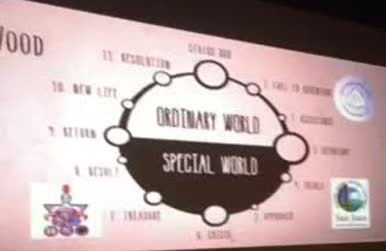
    Today was Saturday. Attendance was a bit off from Friday. By a bit I mean like 50%. That was ok because it meant more opportunities for seats with a view of the lake during lunch. @jkloczko got those brave remaining few up and dancing in public during the morning keynote. The disco ball must have had hypnotic powers. @principalUMS  took the opportunity to take pictures of me attempting to dance which I am sure will factor into some future edtech request. Our team excused ourselves from the morning Hero activity and reflected/brainstormed to come up with next steps. We’re definitely sending more people to the next Admin Camp in April. Oh yeah, CUE announced another Admin Camp in April. And we are hosting a Rockstar Black Label event at our district in April too. The final sessions didn’t repeat, which threw us for a loop. After two days of repeating sessions, we were used to being able to attend as a team, but today the team split up. We all made it back in one piece for lunch. Lunch was a caesar chicken wrap. That’s important. Having survived our individual sessions, the team shared out over lunch. At some point during lunch I remembered the online companion guides, with all of the session resources, and I may have tuned out for a bit while staring at the ducks floating on the lake. After lunch, there was an unconference, which I think was Jon Corippo‘s new code word for “time to visit the gift shop and head home”. I should have skipped the gift shop. Wine is heavy. Ran into some mild traffic on the way home. Typical. Missing the Special World already. I might have to join the team in April, you know, because the Journey never really ends.

    End Of Line


  • I’ve been Han Solo’d

    Solod
    Big thanks to @adnanedtech for memorializing my Rockstar Admin experience forever.

    Day 2 of CUE Rockstar Admin Camp started off strong with #edugrandpa Jon Corippo going all Captain Chaos on us with a book study by frayer activity. The frayer template is one of those simple little things I wish I knew about when I was teaching, because I would have been telling every one of my fellow teachers about it. Together with other simple instructional strategies like PowerPoint Karaoke, Somebody Wanted But So Then, Iron Chef Lessons and good old fashion Blogging, students could be empowered with a robust learning framework without feeling like they are always starting over at “I don’t know how to do that”.

    For session number two, I wondered into Catina Haugen’s session on PD. Catina had a lot of great ideas to share but I actually left early because I’m very fortunate to work in a district that already has a lot of exceptional PD going on at the moment. And because I needed more hot tea. And because, “Rule of 2 Feet”.

    By happy accident on my way to find tea, I happened upon @PrincipalDurham lounging in one of the incredible rooms at Skywalker’s Big Sky Ranch. We had a nice chat about the challenges inherent in providing relevant edtech Professional Development for teachers and how the focus really needs to shift from Tech Tools to Lesson Design. One thing about the location for this Rockstar Admin Camp is the incredible spaces. There are great spaces where you can just sit down and enjoy the amazing views all over the place. Sadly, no pictures allowed inside, so you’ll just have to imagine it, or sign up to attend next year. But I digress.

    StarWars In The Classroom stopped by for a mini-keynote. They are a group of teachers using the Star Wars Universe to connect kids to learning. As the kid whose first movie ever was Star Wars (back when Han shot first and before there was such a thing as a New Hope), I really wish these Rogue teachers had been around back in the day.

    After lunch, I was fortunate to find myself in Joe Wood‘s session with the entire Union team. Joe shared his experiences with going 1:1 and facilitated a great brainstorming session on next steps for PD to support technology integration in the classroom. We also had an opportunity to create an elevator pitch response to the “Why 1:1?” question. Our best effort came from @PrincipalUMS and @ddclay1999:

    “We want our students to have a learning experience reflective of the world they’re a part of.”

    Rockstar Admin Camp has already been a great event and Day 3 is still to come. Let the Hero’s Journey continue!

  • My To Do list from CUE Rockstar Admin Camp:

    1. Coalesce leadership around a common vision for Instructional Practice
    2. Re-imagine our PD plan around integrating tech and core (ELA/Math)
    3. Help administrators use tech to setup simple time saving workflows
    4. Develop story tellers throughout the district to help get the message out about all the great things happening in our schools every day

    I’ve got more ideas running around in my head but these are the main themes. Thanks CUE Rockstar Admin Camp for pushing my thinking yet again. Always nice to stretch outside the comfort zone. Helps to stand on the shoulders of exceptional lead learners.

    speical world

    It’s my final day in the Special World and I’m missing it already!

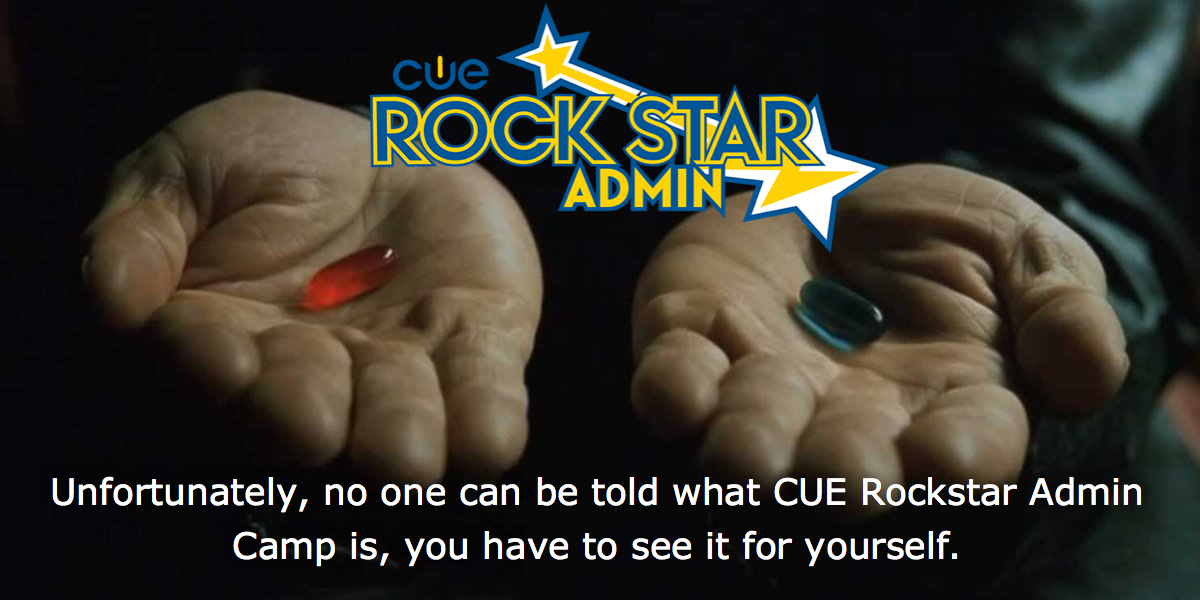
  • red-pill-rockstar-admin

    I think we say Technology is just a tool so as not to scare people away from it but the truth is, technology is a powerful disrupter of the status quo and the idea of disturbing the status quo is very scary to a lot of people. As Jon Corippo said to me recently, if we as educators are merely content delivery systems, then replacing us with technology will only get easier and easier. Anyone can deliver content, even (and especially) an Internet connected computer. As Educators, the art and the craft of our profession is in designing the learning experiences in our schools and classrooms. In the age of ubiquitous access to content, we are responsible for more than just access to the what, we are, now more than ever, responsible for the how of learning. The challenge is to effectively utilize the transformative powers of technology to engage, inspire and connect kids to their own learning, to build a compelling how for all students.

    The highlight of my Rockstar Admin Camp Day 1 was hearing from Joe Sanfelippo about how his district is using technology to connect his community and his students to share their stories. It’s an amazing example of how technology can be used to build transformative cultures that support student learning. #gocrickets.

    Having attended the first two Rockstar Teacher Camps (20102011), I’ve been a fan of the Rockstar experience since the beginning. While the content is great, it’s not particularly unique to Rockstar (don’t tell anyone I told you so). It’s the structure of the event (the how!) that really makes Rockstar the powerful professional development learning experience it is. Longer sessions, longer (collaborative) lunch, time to meet new people, time to meet the Rockstar Faculty, just enough session choice to allow for differentiation without being totally overwhelming. The learning environment at a Rockstar camp is no accident, it’s by design.

    What reinforced that idea for me again on day 1 of Rockstar Admin Camp was browsing through all of the session content. Because at Rockstar, it doesn’t matter what session you physically chose to go to on Day 1, you will have access to all of the content online. Which tells me, learning at a Rockstar Camp isn’t about shoveling stuff at me in powerpoint slide decks, or showing off the latest and greatest tech tool (although AudioBoom is pretty cool). It’s about building an environment, The Rockstar Camp Experience, where learning happens and content is just another resource in the room.

    To wrap things up, Corippo came out with a great session title a while back, “HOW to do Common Core – we already know the WHY”. In my head somehow I’ve managed to subvert that into, “HOW to do Common Core, we already know the WHAT.” Because at the end of the day, standards are standards, it’s the how we teach that really matters to kids and Rockstar is all about the how.

    That would be my 2am, can’t stop thinking about Day 1 attempt to explain the power of a Rockstar Camp but really, you should experience one for yourself.

  • Technology is more than just a tool, it is a total game changer. To paraphrase an old Jedi Master, we must unlearn how we learned. To my mind, there are several transformative opportunities for teaching made possible by technology that go way beyond trading paper and pen for a Chromebook or iPad.

    Ubiquitous Access To Information

    In a classroom where students have anytime access to the Internet at their fingertips, the opportunities are endless. This is a big shift in thinking about how information should be presented to students; no longer wrapped and bound in a sequenced set of pages, but rather presented as a guided discovery process with hidden nooks and crannies and undiscovered continents behind every new question. Learning should be an adventure, not a fixed stairway that eventually leads to a single doorway. In the 21st Century, the literacy of searching, of accessing information, should be as fundamental as reading and writing.

    Instant Feedback

    The end of week quiz must have been born from necessity, a form of feedback that was made super simple by the Scantron (thankfully I skipped them in my classes but sadly still managed to mirror the experience with Moodle quizzes). The drawbacks of the Scantron, or weekly spelling test or INSERT ANY TRADITIONAL PAPER QUIZ/TEST HERE form of assessment is that the results have a built in time delay, namely the teacher’s grading cycle. With technology tools like Socrative, Kahoot and heck, even a basic Google Form, the feedback cycle can be cut to ZERO. Kids can know immediately wether they got something right or wrong, and giving the test over and over again until everyone (or the magic 80%) get it right, is super simple. Why everyone isn’t jumping on this form of instant feedback assessment is beyond me. It may take a bit more effort to initially setup (no way it’s as hard as building a Moodle quiz) but once it’s done, the time savings alone are worth it. Oh yeah, and it’s better for kids too. Dare I say transformative?

    Collaboration

    Google Docs. It’s all there. Real time student collaboration with teacher monitoring and input. Asynchronous collaboration with tracked changes. It’s freakin amazing and still there are folks out there that see Google Docs as just an App to use like Word. Nope. Because kids can work together to solve problems, answer questions, form hypotheses, develop stories, INSERT ANYTHING YOU CAN IMAGINE HERE. The possibilities are endless. Real collaboration, used to solve real problems, is the employment currency for the next generation. Technology has transformed how people communicate, collaborate and work in the real world, our classrooms have to adapt to that new reality.

    Publish or Perish

    It used to be if you wanted to be a TV Star, you had to somehow have access to a hundred million dollar TV network. Not many people made it because not many people had access. Creating, producing and distributing TV shows was expensive. Now, the cost to create and publish is effectively ZERO. That means everyone can be a TV Star. YouTube is the prime example. If everything a student produced in class, call it an artifact of learning or an assessment, was published online to a learning history, how powerful would that story be? The cost to do it is no longer money, now it’s mindset. Publish often or perish. Learning to present, argue, persuade to a real audience, in the digital mediums of the present, outside the four walls of the classroom, is certainly transformative for students.

    Just a tool. Really? What do you think?

  • Vollmert Hanging an AP

    My first job in education was at a small rural high school district. I was their first full time “IT Guy”. And when I say full time, I’m stretching a bit, as I was actually farmed out to one of the feeder elementary schools for 2 days a week. Prior to my arrival, they had been contracting with a local tech services company for their onsite break/fix tech needs. The high school district was fortunate enough to recognize that to make forward progress with technology, they had to make a change.

    So there I was, fresh off a year of doing HA (High Availability) distributed cluster design/support for a Software as a Service (SaS) start up, thrown backwards in time, supporting 4 schools in two districts whose prior tech strategy had been “keep those eight year old computers running indefinitely”. By the time I left in 2011, the high school district was going 1:1 and the elementary districts realized they needed full time support too if they were going to move into the 20th century (much less the 21st).

    Unfortunately for small rural school districts, finding competent tech support is still a challenge. While local IT services companies may do an ok job of break/fix, contracting with them is a ticket to status quo at best and sometimes serious frustration at worst. Local IT service companies tend to be business focused, just like school IT shops of old, and are not well versed in the unique edtech challenges facing classrooms today. They also tend to struggle with basic services in schools, like wifi, because frankly they don’t often have the skill set or experience needed to provide services beyond “small business”. Every school district, no matter how small, will outgrow the “business” IT support contract model as they move towards 1:1 student centered learning.

    The main reason: the shift towards authentic technology integration into everyday instruction is happening right now. The demands of this type of learning environment cannot be met with traditional outsourced business focused IT support. Successful implementation of technology integration requires new ways of thinking and looking at what is really needed to provide tech services to the classroom. Mike Vollmert and I have been helping a small, one school, district do just that over the past year.

    So what’s our secret sauce? Well, I’ve talked about this many times before, but here it goes again:

    • Bandwidth
    • Wifi
    • Google Apps for Education
    • Teacher Devices
    • Student Devices
    • Tech Support
    • PD
    • Repeat

    Bandwidth

    How do we get reliable bandwidth at a decent rate? In California, the best way to approach this is to work with the County Office of Education (COE) on getting the most bandwidth a district can afford/qualify for. Wether it be wireless microwave or dark fiber, districts should get enough bandwidth for now and the future, while making sure either the ISP or the COE is responsible for supporting it. District’s don’t want to be messing around with routers and need a single point of contact to call in the event “the Internet” stops working.

    For our small district, we eliminated a network bottleneck that had been overlooked by the local IT service contractor. In doing so, we doubled the bandwidth available to the district. We are now working on an e-rate application to double it again. The district uses the COE’s firewall for perimeter network security and works closely with them on troubleshooting ISP connectivity.

    Wifi (and by inference, the wiring and switches needed to support it)

    Just a few years ago, you needed to be a networking expert with real skills to provide for a robust wireless network that could support multiple devices per user. School networks were often overly complex and over engineered. Today, complexity in the network is not your friend. The network for most small school districts should be a simple star topology with one smart switch and a lot of dumb ports. The key is good fiber between buildings and good cable into the classrooms for the Access Points. Running good cable up front will save tons of issues down the road. I’ve seen too many districts spend a ton of money on expensive networking equipment and advanced feature sets they did not need only to plug it in to “net day” grade wiring with disastrous results. Overspending on hardware is another symptom of a dysfunctional support system where the people designing the network and recommending the equipment to buy are also the ones selling it and installing it.

    With our small district, we went a different route. We installed a Meraki Access Point in every classroom. Now day to day wireless network management is handled by an enthusiastic “techie teacher” who had all of 30 minutes of training with the dashboard. Thanks to the simplification of network management that Meraki brings to the table, the teacher was easily able to setup SSIDs for an edtech event hosted at the school for over 100 educators. For a school that usually only has 180 students and a dozen teachers on campus, to be able to setup and run an edtech event with no wifi issues is a testament to how easy it has become to provide enterprise grade service without paying a fortune for support.

    Our next upgrade will include a Meraki switch in every IDF and over time, our techie teacher will continue to learn more about supporting the network from the dashboard. He’s always just a Google Hangout away from support if he needs it, but by reducing the complexity of the network down to a few key components, the level of troubleshooting required when things don’t work is greatly reduced.

    Google Apps for Education

    Because with limited support staff, there is no reason to run a local email server. Ever. For our small school, we moved all users off of AD and into Google Apps for Education. Every user can now be managed from the Google Apps Admin Panel. Adding/removing and changing accounts is easy. The only thing required is an Internet connection. Before we made this change, users were locked down on their desktops and complicated Active Directory settings made handing off account support to a teacher impossible. Google support is now just a phone call away if needed. Going Google is a no-brainer for a small district.

    Teacher Devices

    One of the most difficult things to overcome when being serviced by an outside support vendor is the “lockdown”. Locking down systems makes support easier, because it limits what people can do to their computers and in a business environment that can wait a week for flash updates, it makes sense. However, in the classroom, where technology needs to work or it will become a barrier to learning instead of an accelerator, locked down may as well mean locked out. Teachers need control of their device. They need the freedom to install apps, run updates and use their devices at home, even if that means messing it up.

    Our small district was struggling with all of these challenges, so we removed all staff computers from the Active Directory domain and moved them to local admin accounts. Combined with migrating all of their file storage to their Google Apps for Education Drive account, we effectively eliminated the need for Active Directory in the district and gave teachers full control over their device, both at school and at home.

    Student Devices

    Desktops don’t qualify as student devices. Computer labs don’t qualify as student devices. Virtual Desktops (VDI) do not qualify as student devices. Student devices are mobile, personal and available where and when students need them. There are a few options that work well with limited support. The most full featured option, but one that requires a leap of faith, is the ubermixed notebook. Ubermix is a linux operating system that provides a full featured computing environment that is so easy to deploy and support, any middle school student can learn how to do it in under 10 minutes. Ubermix has the added advantage of having local apps that will work without Internet access, a big consideration for many small, rural school districts where student access is a challenge.

    Of course chromebooks and iPads (or android tablets) are out there. I would advocate for any mobile device solution that put access into every student’s hands. However, for small and rural with limited support and home Internet access challenges, #ubermix wins, hands down.

    Tech Support

    My goal is always to design for simple and self-sufficiency. Choosing solutions that have “enough” features, are easy to manage and can be supported with low-mid level skills is critical. Providing a “support in depth” strategy, from student tech helpers that can image ubermix laptops, to techie teachers that can do basic troubleshooting and be remote hands for onsite tasks, paired with knowledgable experts with advanced troubleshooting and school planning experience, provide a school focused, self-sufficient support model that cannot be matched by simply outsourcing to a traditional IT services company.

    PD

    Of all the areas where small schools have the biggest uphill challenge with integrating technology into their classrooms, professional development is it. The challenges of geographic isolation, funding and local resources are monumental. However, there is hope. I recently attended a fist annual edtech summit hosted in a very remote county in northern California (Go Siskiyou!). It was awesome. To see so many local educators come from across the geographically dispersed county for a day of edtech learning was incredible. It shows that where there is a will, there is a way.

    For small school districts, the key to growing edtech adoption in classrooms is making connections. The best way to do that in the beginning is to go to edTech events. Starting with traditional edtech conferences is good. Branching out in to non-tradtional (like edCamps) is better. The point is to go out and see and learn from what others are doing. For rural districts, it might mean a 6 hour drive but it will be worth it. Getting teachers excited about technology requires that they see what is possible with it. That’s a hard proposition in isolation. Connect, make new friends, continue the learning through twitter, Google Hangouts and the Internet. PD is an investment that pays dividends down the road.

    Repeat

    None of what I’ve listed above is a one and done deal. It all requires continuous reflection, ongoing care and feeding and a growth mindset. There will always be a need for more bandwidth, the wireless infrastructure will need to evolve to keep up with newer, faster devices. Student devices will wear out and become more trouble than they are worth to try and keep them running, teacher devices will need to be refreshed so that teachers can do what they need to without worrying about wether or not their computer will work when they need it, tech support needs will evolve with the environment, PD will need to be a continuous journey of learning, not a one stop shop, but Google Apps will be forever! Districts cannot afford to let their technology become static. A long range vision, paired with an evolving strategy and regular reflection will allow for adaptation and evolution.

    To sum all this up, small school districts have a tremendous opportunity to embrace the edtech revolution. The technology available today makes it possible to shift the support paradigm on it’s head and put the power of technology into the user’s hands. There is no reason why small school districts should not have the same educational technology learning opportunities for their students as big city districts do. We are disintermediating the traditional IT stack to move support down as close to the end user as possible. Just in time, where and when it is needed.

    Making the shift will take some vision, some strategy and a different way of thinking about IT support, but it can be done. I know because I’ve done it and it’s a sad day when I see a small district’s potential being stifled by outside consultants that don’t understand what technology in schools is all about.

    Of course all of this falls apart at scale where the trick is in seamlessly leveraging complexity to make everything appear to be simple and easy to manage.